|
Network Server Monitor
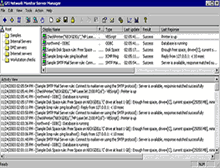 Network Server Monitor is a network monitor that enables administrators to scan the network for failures or irregularities automatically.
With Network Server Monitor, you can identify issues and fix unexpected conditions before your users (or managers) report them to you!
Network Server Monitor is a network monitor that enables administrators to scan the network for failures or irregularities automatically.
With Network Server Monitor, you can identify issues and fix unexpected conditions before your users (or managers) report them to you!
Network Server Monitor maximizes network availability by monitoring all aspects of your servers
(including UNIX/LINUX servers), workstations and devices (routers, etc). When a failure is detected,
network monitor can alert you by email, pager or SMS, as well as taking corrective action by,
for example, rebooting the machine, restarting the service or running a script.
Network Server Monitor is easy to set up and use, and is competitively priced.
You can set any amount of rules and customize each rule to suit your needs and network set-up.
| Software Information |
System Requirements |
| Version: | 7.0 |
- Windows 2000 / 2003 or XP Pro
- Windows Scripting Host 5.5 or higher (Included in Internet Explorer 6 and in Service pack 2 of Internet Explorer 5.5)
- .NET Framework 1.1
|
| File Size: | 13.1 MB |
| License: | Free to try, $499.00 to buy |
| Screenshot: | View Screenshot |
| Rating: |  |
Key Features:
- Enterprise class architecture
Network Server Monitor consists of a network monitoring service (called the Network Monitor Engine)
and a separate management interface (the Network Manager). No agent software needs to be installed on the machines you wish to monitor.
The Network Monitor Engine is multi-threaded and can run 16 checks at a time.
This software architecture allows for high reliability and scalability to monitor both large and small networks.
- In-built Exchange 2000/2003 monitoring
Out of the box, Network Server Monitor monitors the status of your Exchange Server by monitoring critical
Exchange services and performance counters (Information Store, mailboxes, SMTP service, etc).
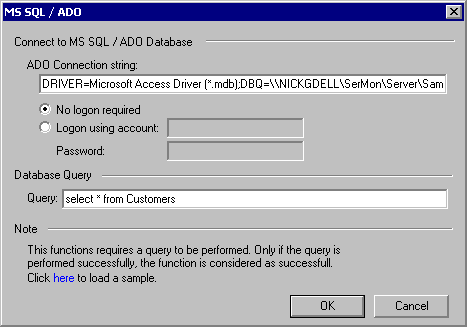
- Monitor your database servers (SQL/ORACLE/ODBC)
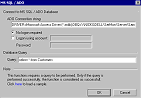
Network Server Monitor can check the availability of all leading database applications.
Out of the box, it can monitor Microsoft SQL Server via ADO and Oracle via SQL*NET.
Oracle servers can be monitored by a TNS ping check and by a logon/logoff.
Other databases such as Access, FoxPro, Paradox, SyBase, Informix, IBM DB2 and many more can be monitored via ODBC.
- Monitor remote event logs
Network Server Monitor can scan Windows event logs on local or remote computers and look for
specific event sources, categories, event IDs and patterns in the description of the event.
In addition it can look for multiple events occurring in a specific time interval, for example,
a McAfee or Norton virus alert posted in the last 30 minutes.
- Built-in computer monitor functions
- Directory size function – Ensure that a particular directory
(for example, a user’s home directory) does not take up more than x amount of drive space.
- Disk drive function – Monitor the physical status of the disk.
- Disk space function – Check if sufficient disk space is available.
- File existence function – Monitor the existence of a particular file; for example,
results of scheduled batch jobs.
- File size function – Monitor the size of particular files, for example, critical log files.
- Built in Internet service functions
- HTTP function – Checks availability of HTTP and HTTPS sites; passes credentials if required.
- Website content checking – Checks website content by specifying a text pattern to check for.
- FTP function – Checks availability of an FTP server/site.
- ICMP ping function – Checks a remote host for availability.
- DNS server function – Checks DNS server by reading an 'A' record and verifying the result.
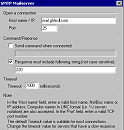
- SMTP server function – Checks mail server by establishing a connection and handshaking
to verify SMTP protocol is working correctly.
- POP3 server function – Checks POP3 servers by establishing a connection and handshaking.
- NNTP news server function – Checks connection and does a handshake.
- SNMP function – Monitors specific variables on remote machines or devices via the SNMP GET message.
- TCP port function – Checks if a port is responding and checks its response.
- UDP function – Monitors UDP ports.
- NTP timeserver function – Monitors status of timeservers.
- Alert notification via email, pager or SMS
When it detects a failure, Network Server Monitor can send alerts via SMS, pager, email or a network message.
SMS (text) messages are sent either through an SMS service provider (SMSC), or directly through a connected GSM phone/modem.
All notifications can be customized using variables. Recipients can be configured globally for all rules.
- Take corrective action automatically
After an unexpected condition has occurred, Network Server Monitor can automatically correct the problem
by restarting a service (or multiple services) upon failure; rebooting a server upon failure; or launching
an executable, batch job or VBScript.
- View network status from anywhere in the world
You can check rule status from any location using Network Server Monitor's remote web monitor.
The remote web monitor includes two types of web page views: One for a normal web browser and one optimized
for viewing from a mobile phone or handheld device such as a BlackBerry or a Palm.
A small footprint web server is included, although the feature can also be operated in conjunction with IIS.
- Monitor Windows servers & workstations, UNIX/Linux and Novell
Network Server Monitor can monitor multiple platforms simultaneously including UNIX/Linux and Novell.
UNIX/Linux servers can be monitored by checking the output of RSH scripts.
- Monitor processes & services and CPU usage
Network Server Monitor enables you to check critical processes and services on local and remote computers.
You can also monitor the CPU usage of a machine. This way, you can ensure that virtually any application is running properly.
- Custom network monitoring using VBscript and RSH
Although Network Server Monitor includes an extensive set of default monitoring functions,
you can build your own custom checks by writing a VBscript (Windows) or an RSH shell script (UNIX).
From VBscript, you can use WMI and ADSI. WMI is an interface to a broad range of hardware/software/OS-related
properties of a computer, allowing you to perform almost any check. Using ADSI you can interface to Active Directory.
- Monitor users, groups and other Active Directory information
Use Network Server Monitor to monitor directory information. For example, monitor group membership
of the domain admins group. You can also check user accounts (locked out, disabled, etc.), computer accounts,
groups, group membership, organizational units, and so on. A subset of NTDS (NT4-based SAM account database)
and Novell NDS Directory Service can be queried too.
- Reporting
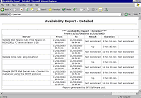
Network Server Monitor allows you to create reports that detail the availability of your network resources.
Create reports directly in HTML, or generate XML/CSV reports, which you can export to your favorite application.
- Other features
- Configure maintenance periods to avoid alerts being sent during scheduled maintenance.
- Advanced logging options to text file or event log.
- Configure dependencies to avoid multiple alerts for error conditions dependent on each other.
- Read-only mode for users who are not allowed to make changes to the configuration.
- Monitor network printer status.
| More Screenshots - Click each image to enlarge! |
|
|
|
|






 BestShareware.net. All rights reserved.