|
Tembria Server Monitor
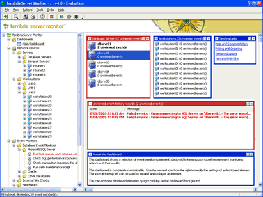 Tembria Server Monitor is a Multi-purpose server monitoring software for monitoring network devices
such as web servers, database servers and routers.
Tembria Server Monitor is a Multi-purpose server monitoring software for monitoring network devices
such as web servers, database servers and routers.
Tembria Server Monitor can monitor workstations and servers running on Windows, Linux, Solaris, HP/UX
or another operating system supporting standard Internet Protocols.
Tembria Server Monitortm continuously monitors your network for potential problems so you don't have to.
Supporting popular Internet protocols, Network Monitor watches for specific conditions
and notifies you if a problem is detected.
Tembria Server Monitortm is easy to use and can monitor a wide range of standard network services.
You can select exactly what services to monitor and on which workstations and servers.
Tembria Server Monitortm is specifically designed for small- to medium-sized businesses.
From just one workstation it can monitor from 5 to 500 other workstations and servers.
Its easy-to-use interface lets you select the workstations and servers along with the specific services to monitor.
As a network administrator, you are probably responsible not only for machines within the local area network
but possibly others that are outside the local network, even clear across the Internet. Based on standard
Internet protocols, Network Monitor can monitor servers anywhere on your LAN, WAN or on the Internet.
| Software Information |
System Requirements |
| Version: | 5.3.4 |
- 512M RAM, 50M disk space
- Windows 2000, 2003, XP, Vista or Server 2008
|
| File Size: | 14.80 MB |
| License: | Free to try, $395.00 to buy |
| Screenshot: | View Screenshot |
| Rating: |  |
Highlights:
- Multi-Purpose Server Monitoring Software
- 100% Web-Based Interface with Multiple Security Models
- 40+ Monitoring Types, All Completely Agentless
- Deep Support for Windows Server Monitoring
- Support for Linux and SNMP Monitoring Too
- 12 Notification Types incl. E-mail and Voice Phone Call
- Clear Published Pricing Starting at Just $595.00
Key Features of Tembria Server Monitor :
- No Agents Required
Network Monitor performs all of its monitoring actions remotely without the need to install
agent software on the machines being monitored. Why are agents a bad idea? Agents have an effect on
the machines they are monitoring, consuming memory, CPU and other resources. Even worse, upgrading
the agents on all of the machines you are monitoring is a hassle that a network adminstrator doesn't need.
Our agentless technology is the superior way to monitor your network.
- One Event Monitor, Many Machines
Other tools force you to enter one event monitor for every single machine you wish to monitor.
For even relatively small networks, it becomes tedious to set an event monitor just to ping all of your servers.
With Network Monitor you can configure one event monitor to watch many different machines all sharing
the same settings.
- Ease of Use
Unlike other network management tools, Tembria Server Monitor is very easy to install and use.
Wizard-based dialogs guide you through initial configuration and a straight-forward, standards-compliant
user interface gives you easy access to all reports and settings.
- World Class Support
In the Resources Window you can display a list of the functions and labels
contained within your files, double clicking a function or a label will take
you direrctly to the line in question.
- New field in e-mail notifications shows the event monitor description.
- Script event monitors can now return multiple lines of notification text.
- Corrected a problem where a manual refresh (F5) might be necessary after restoring the client software after it was minimized to the tray for a long time.
- Corrected a text wrapping problem in compact e-mail notifications.
- Updated product name references in HTML e-mail notifications.
- Corrected problem where text and compact e-mail notifications contained some HTML tags.
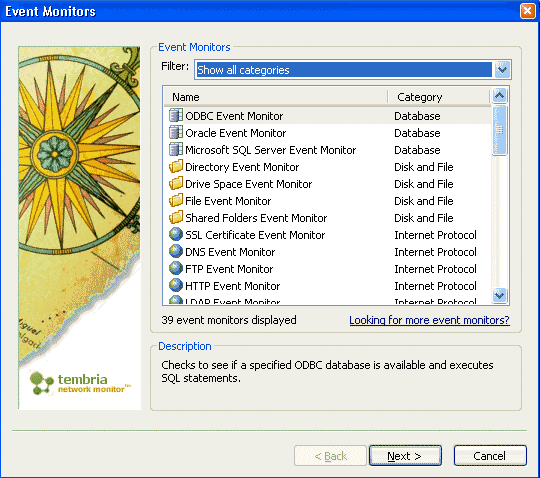
- Includes 40 different types of event monitors.
- Includes 12 notification types including e-mail, pager and voice notifications.
- Can monitor hundreds of workstations, servers and network devices.
- Built-in VBScript, JScript and Perl scripting for extensibility.
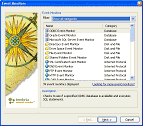
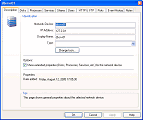
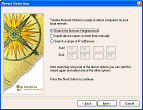
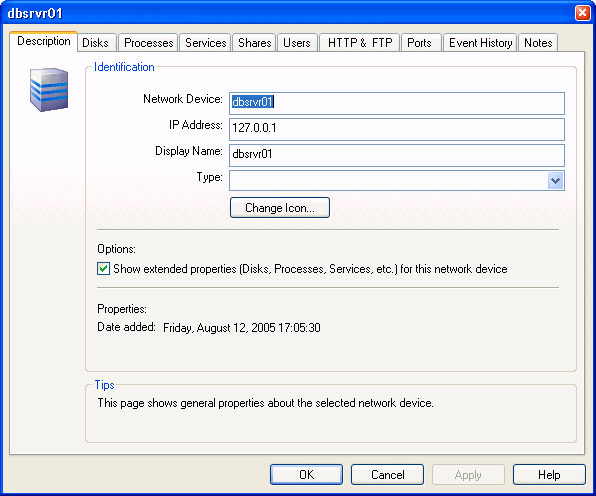
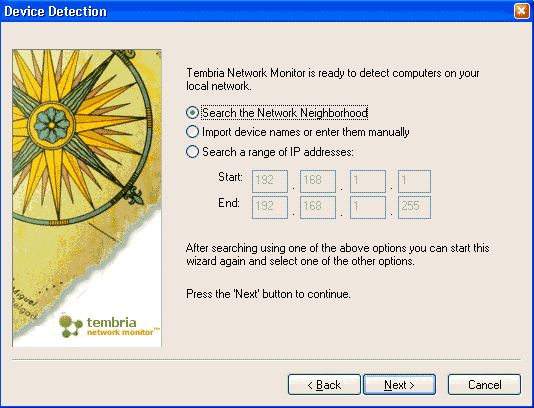
| More Screenshots - Click each image to enlarge! |
|
|
|
RELATED SOFTWARE DOWNLOADS FOR TEMBRIA SERVER MONITOR
- Network Server Monitor
Network Server Monitor is a network monitor that enables administrators to scan the network for failures or irregularities automatically
- DEKSI Network Monitor
advanced, powerful, and feature rich tool that monitors servers located on your local network and the Internet
- Nsauditor Network Security Auditor
network security audit system designed to audit network and detect available security vulnerabilities in the network
- Overseer Network Monitor
Overseer Network Monitor is a Windows 2000/XP/2003-based network monitoring software package
- Active Network Monitor
It is a tool for the day-to-day monitoring of computers on a network.
- MING Network Monitor
It is a simple and affordable software solution for users who want to control, monitor, and archive unlimited Internet traffic on the company or home network.
- Accurate Network Monitor
allows you to intercept, display, record and analyze all the data your computer exchanges
- Network Asset Monitor
allows you to create a network inventory. It enables you to scan all the nodes of your network with just one click.
- Admin's Server Monitor
ia a tool to monitor server disk traffic loaded over network.
- NTP Time Server Monitor
allows the user to control and configure the NTP service for Windows with a userfriendly graphical user interface
|
|





 BestShareware.net. All rights reserved.