|
YeoSoft Text to MP3 Speaker
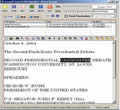 YeoSoft Text to MP3 Speaker is a simple but powerful text reader that enables your PC to speak
in natural voices (both free and commerical) and in 10 languages (English, French, German, Dutch,
Russian, Spanish, Portuguese, Japanese, Korean, and Italian) !
YeoSoft Text to MP3 Speaker is a simple but powerful text reader that enables your PC to speak
in natural voices (both free and commerical) and in 10 languages (English, French, German, Dutch,
Russian, Spanish, Portuguese, Japanese, Korean, and Italian) !
As an easy to use natural voice reader, YeoSoft Text to MP3 Speaker equips your PC with "lips",
just like a human! Your computer now doesn't have to keep silent any more! Whether your text format
is txt, rtf, xml, eml or html, it will speak it aloud and clear for you! More than that,
YeoSoft Text to MP3 Speaker can also save its natual voice readings to quality-adjustable mp3,
wav, wma or ogg files for playback on your iPod, Pocket PC, or any other portable music player.
| Software Information |
System Requirements |
| Version: | 5.1.2 |
- Windows 95 or above.
- Pentium II or above.
- Microsoft SAPI 4 or SAPI 5 TTS runtime engine.
- Additional voice engines.
- Sound card.
|
| File Size: | 2.57 MB |
| License: | Free to try, $19.95 to buy |
| Screenshot: | View Screenshot |
| Rating : |  |
Key Features of YeoSoft Text to MP3 Speaker :
- Both SAPI 4 and 5 Engines supported
- Email (.eml files) reading supported
- Web Brower and web text speaking feature is supported (need IE)
- Convert Text to Speech/MP3/Wave/OGG/WMA: full text or just selected parts, quickly and easily
- Support 11 languages including English, French and German
- Support Multiple File Selection
- Support adding tag info to converted audio file (you may add such info as Title, Author, Year, etc. )
- Speak any text aloud directly (3 basic voices with installation, you may add more voices later)
- Support adding Emphasis Tone for selected words
- Support adding Spell-out mark for selected words (word will be read letter by letter)
- Support adding Silence Interval as defined by user
- Support adding Pronunciation tags for not-known word
- Start to speak at any place where mouse cursor is (only effective in Text tab)
- Rich Text Editor: full editing featurs supported, including New'n'Save, Find'n'Replace, Text formating, alignment, Color settings, etc
- Can change the voice volume and speed when speaking
- Support punctuation reading
YeoSoft Text to MP3 Speaker can help you easily do:
- Enjoying a natural voice reader of your reports, novels, ebooks, emails, or web pages
- Saving natural voice reading to mp3, window media audio, wave or vorbis ogg format
- Proof-reading of your own writings, with the help of Text to MP3's rich text editing feature
- Making audio books for children or visually-impaired people
- Learning English or other foreign languges (10 languages available)
- Creating audio messages for your web page or report or presentation
- Assisting data entry much with a natural voice telling you what to input
- And many more usage you can imagine...
RELATED SOFTWARE DOWNLOADS FOR YEOSOFT TEXT TO MP3 SPEAKER
- Event Reader
It is an administrative tool that helps network administrators to analyze and manage event logs.
- Adobe Reader
for Pocket PC extends the value and capabilities of Adobe PDF files by adapting them for high-quality viewing on smaller screens, while preserving their rich content.
- RM to MP3 Converter
RM to MP3 Converter lets you easily to convert Real Audio files (.rm, .ra, .ram) to MP3
- Easy MP3 Converter
Convert mp3 to and from wav for easily burning audio cd's.
- Advanced MP3 Converter
converts audio formats such as MP3, WMA, WAV, OGG, APE, MPC, AAC etc from one format to another.
- All To Mp3 Converter Pro
convert your digital files avi,mpeg,wav and wma to MP3 format
- ASX to MP3 Converter
makes it convenient to convert the music in ASX, ASF, WMA and WMV formats into MP3 format.
- Worldwide Newspapers Reader
allows you to read all 1890 worldwide newspapers directly
- RFC Reader
is a professional reader tool, It is for VOIP developers or persons who ofter read lots of RFC documents
|
|





 BestShareware.net. All rights reserved.