|
LockGear Professional
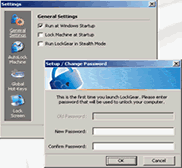 LockGear Professional is a powerful and easy-to-use software utility that allows to
lock your computer with password protection from unauthorized access when you are away
your workplace. You can lock computer off by double-clicking system tray icon, pressing
a hot-key or enable automatically lock your computer after a period of idle time (when not using computer).
Running and launching in Normal or Stealth modes. Flexible configuration options.
LockGear Professional is a powerful and easy-to-use software utility that allows to
lock your computer with password protection from unauthorized access when you are away
your workplace. You can lock computer off by double-clicking system tray icon, pressing
a hot-key or enable automatically lock your computer after a period of idle time (when not using computer).
Running and launching in Normal or Stealth modes. Flexible configuration options.
| Software Information |
System Requirements |
| Version: | 1.0 |
- Pentium compatible computer (or higher)
- About 2 MByte of free hard disk space.
- Windows 9x, Me, 2000 or XP
|
| File Size: | 1.50 MB |
| License: | Free to try, $17.00 to buy |
| Rating: |  |
Key Features:
- Easy-to-use
Just set the password on first startup of the LockGear Enterprise
to unlock computer in future.
- Manual or automatic computer locking
You can lock computer off by double-clicking system tray icon or pressing
a hot-key. Also LockGear Enterprise can automatically lock your computer
after a period of idle time (when not using computer).
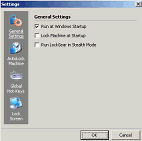
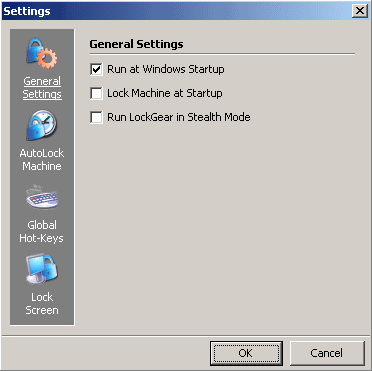
- Starts with Windows and allows locking computer at Windows start-up
You can configure the program to run and lock the system on startup
(thus simple restart of your machine would not help people gain access
to it).
- Running and launching in Normal or Stealth modes
By default LockGear Enterprise starts in Normal mode (visible in TaskTray
and processes list). The Stealth mode can also be enables from Settings
to allow LockGear Enterprise be invisible on start-up. You can also
the program to Stealth mode using a hot-key.
- Two global hot-keys
You can set two global hot-keys to switch on/off Stealth mode and
to lock your computer.
- Using two locking methods
LockGear Enterprise automatically detects your Windows version and
chooses between two methods of locking computer: built in software
method for Windows 95/98/ME or Windows native method for Windows 2000/XP.
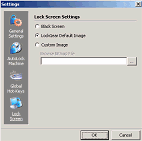
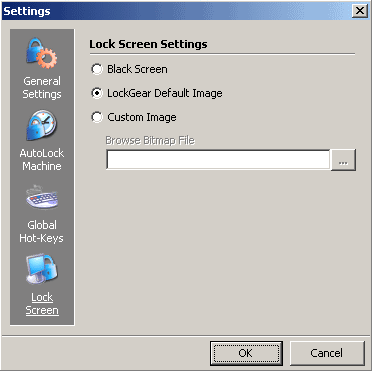
- Custom Lock-Screen*
You may choose you own image for Lock-Screen or use built-in graphics.
You can also set up blank screen instead of the picture.
- Windows XP support
Full Windows XP themes and platform support.
* This feature is available on Windows 95/98/ME platforms only.
| More Screenshots - Click each image to enlarge! |
|
|
RELATED SOFTWARE DOWNLOADS FOR SIMPLE BUSINESS ACCOUNTING
- ID_Bank
secure identity and password protection system
- Look 'n' Stop
The Look ‘n’ Stop personal firewall blocks intrusion threats and makes your PC invisible to anyone on the Internet
- PrivateEXE
PrivateEXE modifies Windows executable files to add password protection
- Password Protection Pro
is a very easy to use, powerful encryption privacy tool.
- Secrets Protector Pro 2006
is the ultimate security tool to protect your confidential data on your personal computer
- SRC Corp - Network Security Software
Removes and blocks spyware, adware, key-loggers and other malware
- Skinny Clock
is a freeware utility helping you to show date and time the way you like it
- Adblock Pro
is a small, effective, and intelligent anti-ad software
- WinLock Professional
is a powerful security solution that lets you restrict access to various computer resources.
- BioKeyLogon
add keystroke dynamics authentication to standard Windows authentication procedure during logon.
- Password Page Protection Software
Password Page Protection Software allows you to add password protection to any web page.
- ShutDownOne Pro v4.00
ShutDownOne Pro is tray-based system utility that can automatically perform shutting down, switching the power on and off, restarting or locking your computer.
|
|





 BestShareware.net. All rights reserved.