|
Wondershare iPhone Video Converter
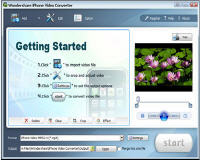 Wondershare iPhone Video Converter is powerful and easy to use iPhone
Video Converter software. It can convert all popular video formats including
AVI, WMV, MOV, RM, RMVB, DAT, FLV, ASF, MPG, MPEG to Apple iPhone MP4
video, H.264 video, iPod video and Apple TV video with various settings
and very fast conversion speed.
Wondershare iPhone Video Converter is powerful and easy to use iPhone
Video Converter software. It can convert all popular video formats including
AVI, WMV, MOV, RM, RMVB, DAT, FLV, ASF, MPG, MPEG to Apple iPhone MP4
video, H.264 video, iPod video and Apple TV video with various settings
and very fast conversion speed.
Wondershare iPhone Video Converter is also iPhone Music Converter software,
which can convert audio and video formats to MP3, M4A for playback on iPhone,
iPod and Apple TV. It also allows you to trim and crop video files so you can
watch your favorite video clips on iPhone with full screen. Download iPhone Video Converter
for free now and enjoy your favorite videos on iPhone, iPod and Apple TV anytime and anywhere!
| Software Information |
System Requirements |
| Version: |
4.0.6.0 |
- Microsoft Windows 2000/XP/2003
- Windows Media Player 9 or above is needed.
|
| File Size: |
5.26 MB |
| License: | Free to try, $29.00 to buy |
| Screenshot : |
View Screenshot |
| Rating : |  |
Key Features of Wondershare iPhone Video Converter:
- Convert almost all popular video formats including AVI, DivX, XviD, WMV (Window Media Player),
MPEG, MPG, DAT (VCD), FLV (Youtube, Google Video), RM, RMVB (RealPlayer), MOV (QuickTime), ASF to Apple iPhone MP4 or
H.264 format.
- Support batch video conversion.
- Easily extract audio signal from Video to iPhone audio MP3, M4A, AAC format
with excellent quality.
- As iPhone Music Converter software, it can convert all popular audio formats
including WMA, WAV, MP3, M4A, AAC, etc to iPhone Music MP3, M4A formats.
- Fully supports dual-core or multi-core processor, convert video to iPhone with
super fast speed (>400%).
- Powerful Video Editing, allow you to adjust brightness, contrast, volume, etc,
.And check the audio track or caption of videos as you like to convert Video to iPhone MP4 Video format.
- Support automatically shut down your PC after conversion. Then you needn’t stand by
the computer until finish converting video to iPhone.
- Support various kinds of video play mode. e.g. 16:9, 4:3, full screen.
- Rich options for setting, high level customization let you convert your video to
iPhone with your desire resolution, frame rate, video bit rate and sample rate. Fully support PAL and NTSC TV mode.
- Video Trimming and Cropping, set the start and end of the video to get your desired segment.
Enjoy your favorite video on iPhone with full screen.
- Support photo capturing from video, and save as jpeg or bmp format. Then you can put
your beautiful videos scene on iPhone easily.
- User-friendly UI with "easy" procedures, just a few clicks is enough to convert
Video to iPhone.
RELATED SOFTWARE DOWNLOADS FOR WONDERSHARE IPHONE VIDEO CONVERTER
|
|





 BestShareware.net. All rights reserved.