|
Cucusoft iPhone Video Converter
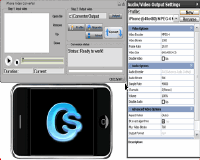 Cucusoft iPhone Video Converter is a powerful and easy-to-use iPhone Video
conversion software which provides a completed solution to convert iPhone
video from all popular video formats, including dvr-ms, MPEG, DivX, XviD,
MOV, rm, rmvb, WMV, AVI, ect. you can enjoy your favorite videos and movies
on your iPhone as a portable DVD Player. Now you can get this iPhone video
converter at a very competitive price!
Cucusoft iPhone Video Converter is a powerful and easy-to-use iPhone Video
conversion software which provides a completed solution to convert iPhone
video from all popular video formats, including dvr-ms, MPEG, DivX, XviD,
MOV, rm, rmvb, WMV, AVI, ect. you can enjoy your favorite videos and movies
on your iPhone as a portable DVD Player. Now you can get this iPhone video
converter at a very competitive price!
| Software Information |
System Requirements |
| Version: |
7.08 |
- Windows 98/2000/XP/NT/ME/Vista
- DirectX 8.0 or later.
- MMX-enhanced CPU or more powerful
- 32 MB RAM or more
|
| File Size: |
6.56 MB |
| License: | Free to try, $29.95 to buy |
| Screenshot : |
View
Screenshot |
| Rating : |  |
Key Features of Cucusoft iPhone Video Converter:
- Easy-to-use and pretty cool UI skin available.
- Support Video to iPod as well.
- Support almost all video file including dvr-ms, MPEG, DivX, XviD, MOV, rm, rmvb, WMV, AVI, ect.
to iPhone video (MP4 format)
- support various iPhone video specification:
- -- H.264 and protected H.264 (from iTunes Store): Up to 1.5 Mbps, 480 by 320 pixels at 29.97 fps in .m4v, .mp4
and .mov file formats
- -- MPEG-4: Up to 1.5 Mbps, Simple Profile with maximum resolution: 480 by 320 pixels at 30 fps) in .m4v, .mp4
and .mov file formats
- Support "Drag and Drop" to input video files.
RELATED SOFTWARE DOWNLOADS FOR CUCUSOFT IPHONE VIDEO CONVERTER
- Avex DVD to iPhone Video Suite
is refined as premier solution in video realization
- Avex iPhone Video Converter
is an extremely easy to use video formats converter
- Cucusoft iPhone Video Converter Suite
is an all-in-one iPhone video Conversion software solution
- PQ DVD to iPhone Converter
is a One-Click, All-In-One solution to convert DVD movies to iPhone video
- PQ DVD to iPhone Video Converter
is a One-Click, All-In-One solution to convert DVD to iPhone, Tivo to iPhone, DivX movie to iPhone, Xvid movie to iPhone
- Wondershare iPhone Video Converter Suite
is an extremely easy-to-use DVD/Video to iphone converter
- Wondershare iPhone Video Converter
is a powerful and easy to use iPhone Video Converter software program
- DVD to iPhone Suite for Mac
can convert DVD/video to iPhone video, put dvd/video on wide screen iPhone as Mac DVD/video to iPhone video converter software
- iPhone Video Converter for Mac
can convert all popular audio and video files, such as AVI, MPEG, WMV, MP4..
- iSkysoft DVD to iPhone Converter for Mac
is iPhone conversion program to convert DVD to iPhone video and convert DVD audio to iPhone audio on Mac Intel and Power PC.
- iPhone Video Recorder
is a powerful iPhone oriented video recorder software easily records audio and video to the compressed mpeg4 format.
|
|





 BestShareware.net. All rights reserved.