| Make BestShareware.net your home page | Add BestShareware.net to your favorites |
 Homepage |
 Help Desk |
 Site Map |
 |
 Popular |
 What's New |
 Featured |
| MAC Software | Linux Software | Pocket PC |
|
Image Converter and Resizer
Image Converter & Resizer can be used to quickly convert and resize images in all popular formats such as: BMP, JPG, GIF, TIFF and PNG. You can process a single image, or an unlimited number of images at the same time. When working with multiple images at the same time (batch), you can still customize images individually.
Quickly Convert and Resize BMP, JPG, GIF, TIFF and PNG images can be used to quickly convert and resize images in all popular formats such as: BMP, JPG, GIF, TIFF and PNG. You can process a single image, or an unlimited number of images at the same time. Predefined Resize Profiles You can resize images by specifying parameters such as height and width manually, but you can also choose from a list of predefined resize profiles. (thumbnails, photos, banners) High Quality Image Converter & Resizer uses special convert and resize algorithms to produce high quality images. Editing your images It is also possible to edit your images by applying filters, such as: rotate/flip, watermark and grayscale. You can generate a preview at any time, to see what your images will look like. Saving your images Image Converter & Resizer can save your images to the original folder or any folder you like. Of course, you can also change the name of your output file or overwrite the original file. 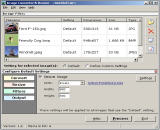
|
||||||||||||||||


|
Submit Software |
Privacy Policy |
Terms of Use |
Advertise with Us |
Contact Us
Copyright ©  BestShareware.net. All rights reserved.
|