|
Auto Photo Editor
Automatic Batch Photo Editing Converter Software
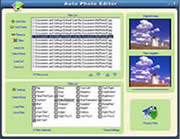 Auto Photo Editor - Image processing, image resizer, graphic converter, photo editor, picture editor,
image editor, editing photo, remove red eyes.
Auto Photo Editor - Image processing, image resizer, graphic converter, photo editor, picture editor,
image editor, editing photo, remove red eyes.
Auto Photo Editor is an all-in-one photo editor for your batch photo editing converter.
Allowing you to easily convert multiple photo/image files at the click of a button.
You can batch resize, rotate, stamp text on your images and convert format to others.
It's easy to create batch files to automate routine photo processing/conversion tasks.
You can set up your computer to run the batch file on a schedule and leave the routine image
processing tasks to Auto Photo Editor.
Auto Photo Editor frees you from these repetitive tasks by processing hundreds, or even thousands,
of photos with a single drag-and-drop. You can save images in all popular Internet formats,
include tif,gif,jpg,pcx,bmp,psd,ico,cur,png,wmf,emf,tga,pxm,wbmp,jp2,j2k,dcx,crw and over 100 more
graphic file formats!
| Software Information |
System Requirements |
| Version: | 3.2 |
- Windows 8/7/XP/Vista
- Pentium II CPU
- 512 MB RAM
|
| File Size: | 1.34 MB |
| License: | Free to try, $39.95 to buy |
| Screenshot: | View Screenshot |
| Rating : |  |
Main Features and Benefits of Auto Photo Editor :
- Add text on photos, watermark and create thumbnails from photos.
- Apply special effects to photos like: raise, charcoal, oil paint, gray scale, implode and more.
- Batch Adjust Color Contrast, Brightness.
- Batch Image Filter Adjustment - Sharpen, Blur, Emboss and Find Edge adjustments
- Batch Red, Green and Blue Color Adjustment.
- Batch Rename Files as an integrated or independent feature in the Image Processing function.
- Individually Flip, Rotate and/or Crop the Images.
- Individually control Brightness,Contrast,Hue,Saturation and other Effects of the Images.
- Batch Crop images.
- You can read images in all popular Internet formats, include tif,gif,jpg,pcx,bmp,psd,ico,cur,png,wmf,emf,tga,pxm,wbmp,jp2,j2k,dcx,crw and over 100 more graphic file formats!
- You can read images in all popular Internet formats, include jpg, bmp, png, gif, psd, pdf, tif, pcx, bmp, tga, pxm, ppm, pgm, pbm, jp2, j2k, dcx and etc.
Batch Image/Photo/Picture Editing Operations:
| Add Text |
Resize |
Wave |
| Flip |
Brightness |
Morph |
| Mirror |
Contrast |
FFT |
| Turn Left |
Color Balance |
User Filter |
| Turn Right |
Hue/Saturation |
Edges |
| Rotate |
Gamma |
Emboss |
| Gray |
Blur |
Hight Pass1 |
| Negative |
Sharpen |
Hight Pass2 |
| EdgeDetect |
Equalize |
Hight Pass3 |
| Clear Red Eyes |
BumpMap |
Low Pass1 |
| Crop |
Lens |
Low Pass2 |
RELATED SOFTWARE DOWNLOADS FOR AUTO PHOTO EDITOR
- Photo Snap - Digital Photo Editor/Viewer/Organizer
Digital Photo Editor/Viewer/Organizer for Windows 98, Windows ME, Windows 2000, and Windows XP that helps you quickly Locate, View, Edit, Print and Send/Receive Picture/Image Files over the Internet
- Easy Photo Editor
It is an easy-to-use image-editing program. It lets you view, edit, enhance your photos in an easy way.
- Abacre Photo Editor
can enhance your scanned or digital photos, make color correction, resize images, covert them in variety of image formats and prepare pictures for Web.
- PICStation for Mac OS / Windows version
It is all in one Picture viewer, editor, converter, thumbnail creator.
- Focus Photoeditor
is image editor and photo enhancer software
- AP PDF to Image Converter
It is a useful pdf tool, the converter produces fully functional IMAGE documents with text, pictures, graphics etc.
- Able Photo Resizer
can easy to batch resize pictures, batch resize photos, and perform batch image resize functions for the purpose of email and website.
- Seamless Factory
is an easy to use texture maker that accurately stitches images into seamless patterns.
- Pixel Editor
easily create and edit images for websites or mobile devices.
- ZC Dream Photo Editor
Blend pictures and create a pretty composition of two images
|
|





 BestShareware.net. All rights reserved.