|
All-in-One Journal
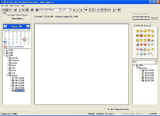 The All-in-One Journal is a full featured Journal, or Diary, that includes Emoticons, Audio, Search,
Auto Backup, Auto Update, Optional Sharing Features & More.
The All-in-One Journal is a full featured Journal, or Diary, that includes Emoticons, Audio, Search,
Auto Backup, Auto Update, Optional Sharing Features & More.
Full Audio Record & Playback: Now you can record your Journal entries in Audio too.
It's a great to personalizing your entries, record your children or grandchildren, leave messages, reminders and more.
Record up to 5 minutes per every entry.
The All-in-One Journal can easily be configured as a Personal, Couples or even a Multiple User's Journal.
A Multiple User's Journal allows you the optional capability to select other users that you can 'share' your entries with.
The flexible interface allows easy navigation of all your journal entries and alerts you if other users have added entries
that they want you to see. The built-in automatic backup feature offers added protection against loss.
| Software Information |
System Requirements |
| Version: | 3.0 |
- Windows 8/7/XP/Vista
- Pentium II CPU
- 512 MB RAM
|
| File Size: | 3.89 MB |
| License: | Free to try, $39.95 to buy |
| Rating : |  |
Main Features of All-in-One Journal :
- Compatibility
The All-in-One Journal is compatible with Windows 95/98/ME/XP and 2000. Minimum requirements are 64 meg. of memory and 800 x 600 screen resolution.
- Easy Setup
Just select the type of journal you want to use the first time you run the All-in-One Journal. You can easily change the mode at anytime.
- Administrative Rights (Multi-User Mode Only)
The first person that creates an account is granted special permissions to delete users, restore the database from a backup, or reset and clear all journals and users.
- Full Database Security
The All-in-One Journal uses an advanced encryption technology to secure all of your Journal Entries.
- Flexible User Interface
The All-in-One Journal allows the user to turn on or off the calendar, date tree, emoticons or the sharing tab for a larger journal viewing area.
- Backup and Restore Database
Any user is allowed to backup the journal database but only the administrator can restore it. For added safety, an automatic backup is done every 10 days the All-in-One Journal is run.
- Emoticons
Use the built-in emoticons to enhance your journal entries. Simply click an emoticon to add it to your entry.
- Full Text Editing Capabilities
This includes font, font size, font color, bold, italics, underline, justification, indents and bullets and more.
- Change User Password
Each user can change his or her password at anytime. All passwords are encrypted for security.
- Check for Updates
The check for update feature will keep your copy of the All-in-One Journal up to date with new releases.
- Convenient Message Tree by Entry Date
Use the convenient date tree to navigate through your entries by year, month and date to review or edit entries.
- Share With Others (Multi-User Mode Only)
Each user can set their entries to be read and/or edited by other users that they select.
- Full Entry and Global Search
Use the convenient search features to find a particular word or phrase in any or all entries.
- Add Entries to Past or Future Dates
You can easily add journal entries to any date using the convenient built in calendar.
- New Entry Alert (Multi-User Mode Only)
The All-in-One Journal can alert you of unread entries that other users want you to see and find them for you.
- Full Printing Capabilities
Print out any entry to any standard Windows printer.
- Audio Record & Playback
Record and playback your entries in Audio format. The one-touch controls let you easily record or playback your entry. Great for personalizing your entries, recording your children or grandchildren, leaving messages, reminders and more. Record up to a full 5 minutes per entry.
RELATED SOFTWARE DOWNLOADS FOR ALL-IN-ONE JOURNAL
- OLfolders
OLfolders is the ideal solution for Share contacts, emails, tasks, calendar, journals and documents in Outlook
- Advanced Diary
is a simple, free private digital diary for your daily records.
- Easy Blogs Creater
is an easy-to-use tool to create web sites for blogs, journals, and much more.
- GroupCalendar for Outlook
GroupCalendar for Outlook shares your outlook calendar with others with or without exchange server
- Diary Studio
Simplifies organization of thoughts and events in one compact package.
- Digital Diary
is a tool to write your diaries every day without needing to write your stuff in text files
- Astice - Timetable
Astice - Timetable is a smart diary, personal organizer and time planner.
- DavidRM Software's The Journal
makes it easy to keep a daily journal, for both personal and professional use
|
|





 BestShareware.net. All rights reserved.