|
WinXMedia DVD Ripper
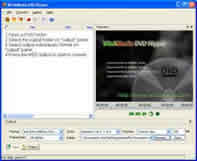 WinXMedia DVD Ripper is a powerful and easy to use DVD video converter. It can produce high quality MPEG1 (VCD),
MPEG2 (SVCD), AVI(DivX, MPEG4, YUV...) video fiels.
WinXMedia DVD Ripper is a powerful and easy to use DVD video converter. It can produce high quality MPEG1 (VCD),
MPEG2 (SVCD), AVI(DivX, MPEG4, YUV...) video fiels.
Convert DVD to MPEG1, Convert DVD to MPEG2, DVD to AVI(DivX, XviD, MPEG4, YUV...) ,
Split large files to multi-volumes according to the mode and size you set. Preview video and monitor the
converting process. Can process DVD, IFO, and MPG/VOB files. Provide luminace filter and deinterlace filter.
Provide the capability for you to set the resolution of the output video and many other advanced options.
Easy-to-use user interface.
| Software Information |
System Requirements |
| Version: | 4.35 |
- Windows 8/7/XP/Vista
- Pentium II CPU
- 512 MB RAM
|
| File Size: | 2.40 MB |
| License: | Free to try, $21.95 to buy |
| Screenshot: | View Screenshot |
| Rating : |  |
WinXMedia DVD Ripper Capability and features:
- Convert DVD to MPEG2 (SVCD),
- Convert DVD to MPEG1 (VCD),
- Convert DVD to AVI (DivX, XviD, MPEG4, YUV...)
- Export DVD AC3 audio files.
- Can process DVD, MPEG, IFO, VOB files.
- Split large video files to volumes according the mode and size you set.
- Can select a part of video/audio to convert according to start time and quantity of frames.
- Provide luminace filter and deinterlace filter.
- Provide the capability for you to set the resolution of the output video and many other options.
- You can select audio track and subtitle to convert.
How to Convert DVD to MPEG1 / DVD to MPEG2?
1. Open DVD to load video stream.
2. Select output folder if it isn't set ever before or if you want to specify another folder.
3. Select output format to MPEG1 or MPEG2
4. Start to convert
How to Convert DVD to AVI (DivX, MPEG4, YUV...)?
1. Open config window, and select AVI page. Check enable video, and select a video encoder in the drop-down list,
after that, click "pass 1" button to configure the video encoder selected.
2. Open DVD to load video stream.
3. Select output folder if it isn't set ever before or if you want to specify another folder.
4. Select output format to AVI
5. Start to convert
RELATED SOFTWARE DOWNLOADS FOR WINXMEDIA DVD RIPPER
- ImTOO DVD Ripper
It's the best DVD ripping software to convert DVD and rip it
- Magic DVD Ripper
powerful and easy-to-use DVD ripping software, which can copy protected DVD to hard drive or convert DVD to DivX, VCD, SVCD and AVI formats
- Plato DVD Ripper
Plato DVD Ripper is an easy to use and powerful software that backup your favorite DVD by converting it to AVI, DivX (MPEG4), VCD, SVCD
- Easy DVD Ripper
It is a very easy to use DVD ripping software with excellent image and sound quality.
- Acala DVD Ripper
Backup DVD movies to min AVI, VCD, SVCD, MPEG1, MPEG2 with the same quality!
- 1st DVD Ripper
is a DVD backup software which rips DVD to VCD, SVCD,DIVX,AVI files.
- Apis DVD Ripper
is a very useful dvd ripper tool, which allows you to rip DVD movies into several video types, including VCD (MPEG-1 format), SVCD (MPEG-2 format), DivX AVI and other AVI.
- dvdXsoft DVD Ripper
is the fastest, powerful and easily dvd backup tools in the world...
- Super DVD Ripper
is an easy to use DVD Copying and Ripping software
- WinX DVD Ripper - directly rip css dvd
Convert or rip css DVD swiftly, provides easily and quickly convert DVD to VCD/SVCD/AVI/DivX/XviD/WMV format
|
|





 BestShareware.net. All rights reserved.