|
Unit Conversion Tool
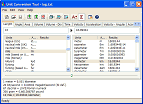 Unit Conversion Tool is a powerful, intuitive, and easy-to-use utility for quick and accurate conversion
between almost every possible unit of measure, from one system to another.
The latest version includes more than 2200 units in 78 categories.
Unit Conversion Tool is a powerful, intuitive, and easy-to-use utility for quick and accurate conversion
between almost every possible unit of measure, from one system to another.
The latest version includes more than 2200 units in 78 categories.
The categories include: length, area, speed, mass, numbers, volume, time,
density, force, pressure, energy, power, flow, temperature, angle,
light, fractions, data transfer, and many more.
| Software Information |
System Requirements |
| Version: | 5.1 |
- Windows 8/7/XP/Vista
- Pentium II CPU
- 64M or more memory
|
| File Size: | 890 KB |
| License: | Free to try, $29.95 to buy |
| Screenshot: | View Screenshot |
| Rating: |  |
Key Features of Unit Conversion Tool:
- Hundreds of measurement units
Unit Conversion Tool is pre-configured with over 2100 units in 78 categories, which range from those that are common,
such as, length, volume, numbers, velocity, mass, and pressure, to more specialized categories like magnetic flux density,
electrostatic capacitance, and surface tension.
- Conversions Between Unit Combinations
Unit Conversion Tool now supports conversions between combinations of related units.
For example, you can convert a length measured in miles, yards, and feet into the equivalent length in kilometers,
meters, and centimeters.
- Smart Hints
Smart hints service is a non-obtrusive and easy way of learning the program during use.
- Common constants list
44 general constants are ready to be imported into calculation edit boxes.
- Powerful expression evaluator
Unit Conversion Tool supports using expressions as well as simple values as input data for conversion.
Expressions support opens the way for using the program as a replacement for the standard Windows calculator!
- Exceptionally high calculation accuracy
High calculation accuracy is achieved by using a special, hand-written math module library.
There is also a support for a number of decimal places to display.
- Log window to store calculated results
A calculated result can be added to a log window with one mouse click.
- Quick unit finder
The "Find" dialog can help you quickly find any category or any unit. This feature is especially
useful when you are not sure which category a particular unit belongs to.
- Complete program customization
Program settings can be adjusted with the help of the "Options" dialog. It is possible to select the results format,
enable/disable specific categories, and much more!
- Clean interface with Windows XP themes support
Unit Conversion Tool features XP-style interface with complete user interface customization.
RELATED SOFTWARE DOWNLOADS FOR UNIT CONVERSION TOOL
- RR's Unit Converter
RR's Unit Converter is an useful tool for metric conversion, weight conversion or any other unit conversions performed by scientist, engineers or students
- CRESOTECH CONVERT-IT
It is a convenient Pocket PC based tool to convert different measuring system units into each other, and much more!
- A-Converter
is a units conversion program. A-Converter can handle unit conversions in number of categories, such as Length, Volume, Area, Mass, Time and more.
- Unit Converter Pro
is fully customizable that allows you easily to create any units you want and as many as you want.
- Converber
is a unit converter. It is a powerful software utility that will help make easy conversions between 1208 various units of measure in 32 categories.
- Unit Converter for Excel
is an add-in for Microsoft Excel to perform various conversions from many types of measurement units.
|
|





 BestShareware.net. All rights reserved.