|
TextAloud
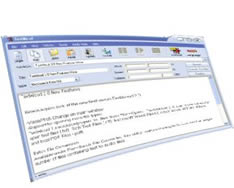 TextAloud reads text from email, web pages, reports and more, aloud on your PC. TextAloud can
also save your daily reading to MP3 or Windows Media files ready for playback on your iPod, PocketPC,
or even on your TV with Tivo's Home Media Option.
Be more productive or just be entertained wherever you go with our text reader. Our TextAloud 2.0
release is here and packed with new features!
TextAloud reads text from email, web pages, reports and more, aloud on your PC. TextAloud can
also save your daily reading to MP3 or Windows Media files ready for playback on your iPod, PocketPC,
or even on your TV with Tivo's Home Media Option.
Be more productive or just be entertained wherever you go with our text reader. Our TextAloud 2.0
release is here and packed with new features!
If you haven't heard computer speech lately, you'll be amazed at how human-like the latest voices really are.
Click Here for a sample audio file created using our text to speech converter with the optional AT&T Natural Voices.
We also offer exciting premium voices from NeoSpeech and Cepstral to bring you the best quality and personality
in speech for your PC.
| Software Information |
System Requirements: |
| Version: | 2.292 |
- Win 95/98/ME/NT/2000/XP/Vista
- Minimum P200
- 64MB RAM
- 10MB Disk Space
- Sound Card
|
| File Size: | 3.18 MB |
| License: | Free to try, $29.95 to buy |
| Screenshot: | View Screenshot |
| Rating : |  |
Minor Changes and Features
- We've changed Read to Speak on all of the menus and buttons to clear up some confusion.
- Added File->Save Article As to allow you to save an article out as a .txt file.
- Cut, Copy, Paste, and Select All are now available on the Edit menu as well as the right-click menu.
- Undo/Redo available on the Edit menu.
- Search and Search/Replace available on the edit menu.
- On Options->TextAloud Options->Predefined Pauses, you can now specify longer pauses to be used between sentences and paragraphs if desired.
- New option on Misc. Options to choose whether you want the screen reader to run in system tray, or to simply close when you click 'X'.
- On the voice edit under Options->Voice and File Options, when you select a voice to edit, there is now a volume slider to adjust volume on a given voice.
RELATED SOFTWARE DOWNLOADS FOR TEXTALOUD
- FairStars MP3 Recorder
FairStars MP3 Recorder is a real-time audio recorder, offering professional recording features with full support for MP3, OGG, APE and WAV formats
- #1 DVD Audio Ripper
#1 DVD Audio Ripper is a powerful and easy to use tool for ripping your DVD audio to WAV,DVD audio to OGG, DVD audio to WMA
- DVDZip Pro
It is a excellent simple and extremely fast piece of software solution for DVD (Vob Ifo) files converting.
- Plato DVD to MP3 Ripper
Extract DVD Audio to MP3 files for you, record DVD Movie Content to MP3
- Power MP3 Recorder (MP3 Sound Recorder)
Power MP3 Recorder (MP3 Sound Recorder) is designed to record audio to MP3 format directly
- DVD Audio Ripper
Rip DVD audio to MP3, WAV, AAC, AC3, OGG, RA, WMA and AU formats.
- ACE-HIGH MP3 Recorder
is professional software designed for recording audio from your computer to hard disk file of MP3 or WAV formats.
- All Sound Recorder
designed for recording audio from your computer to hard disk file of MP3,WMA,OGG or WAV formats.
- Audiolib MP3 Recorder
is a sound recorder software which can capture audio from your computer to files of mp3 or wave formats.
- WinXMedia DVD Audio Ripper
is a quick and easy-to-use DVD audio extractor
- iSkysoft DVD Audio Ripper for Mac
is Advanced audio encoding settings, can Rip DVD audio to MP3 and other audio formats.
|
|





 BestShareware.net. All rights reserved.