|
Macro Expert
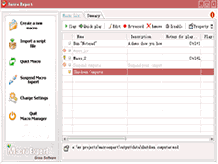 Macro Expert is a powerful macro program. With Macro Expert, you can record,
edit and play back mouse and keyboard macros. Also, you can complete those tasks
which are repetitive or routine for you. This time-saving computer automation software
allows you to automate almost any task by recording, editing and playing back macros.
With macro scheduler, you can use over 100 powerful script commands to record macros
and create windows scripts. We are convinced you will be impressed with it.
It can greatly simplify your work, increase your productivity, and save you time and money.
It can do whatever you do, from these simple tasks, moving the mouse pointer,
keystrokes, selecting menus, pressing buttons, launching programs, showing messages
and shutting down the computer, to these complex tasks, transferring data between
two applications, and testing software. With its scheduler and trigger,
you can even complete an unattended task.
Macro Expert is a powerful macro program. With Macro Expert, you can record,
edit and play back mouse and keyboard macros. Also, you can complete those tasks
which are repetitive or routine for you. This time-saving computer automation software
allows you to automate almost any task by recording, editing and playing back macros.
With macro scheduler, you can use over 100 powerful script commands to record macros
and create windows scripts. We are convinced you will be impressed with it.
It can greatly simplify your work, increase your productivity, and save you time and money.
It can do whatever you do, from these simple tasks, moving the mouse pointer,
keystrokes, selecting menus, pressing buttons, launching programs, showing messages
and shutting down the computer, to these complex tasks, transferring data between
two applications, and testing software. With its scheduler and trigger,
you can even complete an unattended task.
| Software Information |
System Requirements |
| Version: | 2.9.4 |
- Windows 98/Me/NT/2000/XP/Vista
- Pentium or similar processor
- 64MB RAM
|
| File Size: | 3.12 MB |
| License: | Free to try, $39.95 to buy |
| Screenshot: | View Screenshot |
| Rating: |  |
Key Features of Macro Expert :
- Ease of use
Macro Expert is intuitive and is a breeze to use. Tool buttons are used for all of functions because it is handy and clear to most users. Initial trainning and orientation time is reduced, allowing users to focus on producing results rather than learning how to use. No programming skills required!
- Scheduler
Every managed macro can be scheduled to play back, you can schedule a macro to run at specific time that is the most convenient for you, the frequency can be minutely, daily, weekly, monthly, or at specific time.
- Trigger
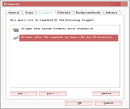
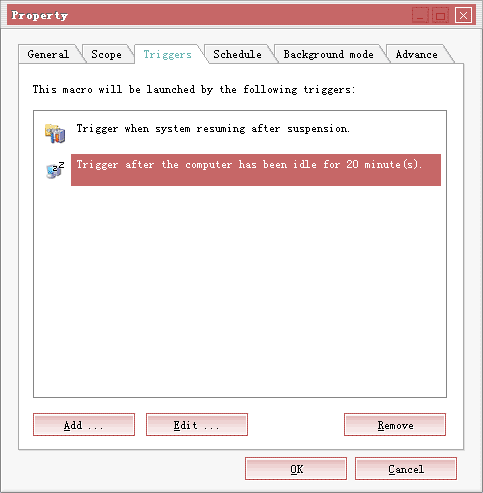
By Macro Expert Service, every managed macro can be triggered. It means every triggered macro will be launched when some events occur, such as disk free space is low, an removeable driver is removed and much more.
- Hot key
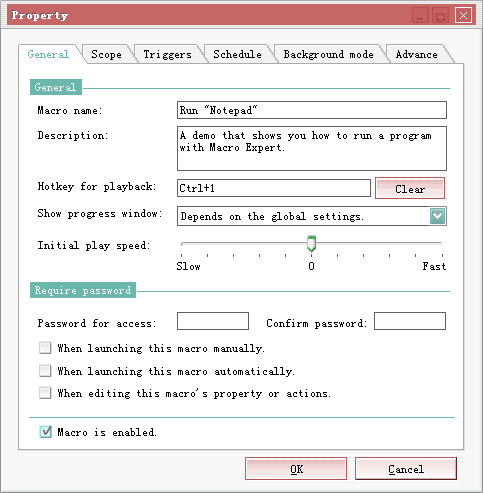
Every managed macro can be assigned to a hot key, when the key sequence is pressed, Macro Expert will launch the macro. Sometimes it is the most convenient way to complete a task.
- Quick Macro
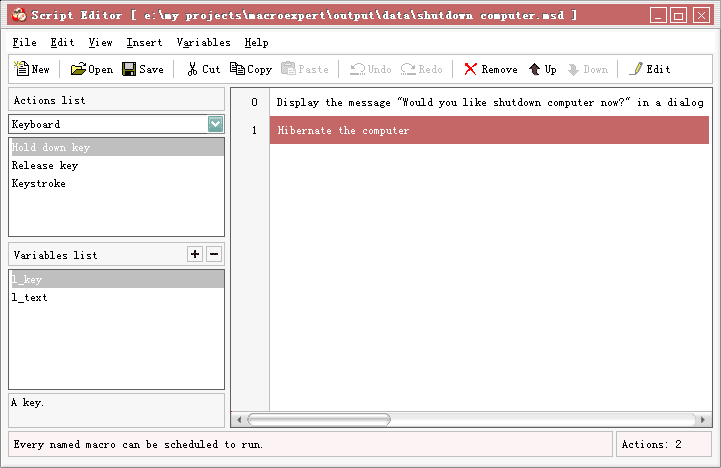
In Macro Expert, macros have two kinds, named macros and Quick Macro. The named macros enable you to name, describe, and add a password to protect the actions you record. A named macro can be scheduled and triggered. The Quick Macro enable you to quickly capture your mouse and keyboard input without having to name a macro, provide a description for it.
- Password protected
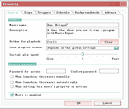
You are able to add a password to a named macro. It should help you to prevent unauthorized access to your macro as the password will be required to open the macro.
- Scope of recording
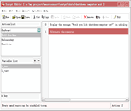
In general, recording a macro will capture(record) all mouse actions and keystrokes, but in some case, perhaps you'd like to record either keystrokes or mouse actions, we provide options to do so in Macro Expert.
- Interface colorable
Different users - different preferences. For this reason, Macro Expert offers a feature that allows you to adjust the hue and saturation of the appearance to accommodate your favour.
| More Screenshots - Click each image to enlarge! |
|
|
|
RELATED SOFTWARE DOWNLOADS FOR MACRO EXPERT
|
|





 BestShareware.net. All rights reserved.