|
ImTOO CD Ripper
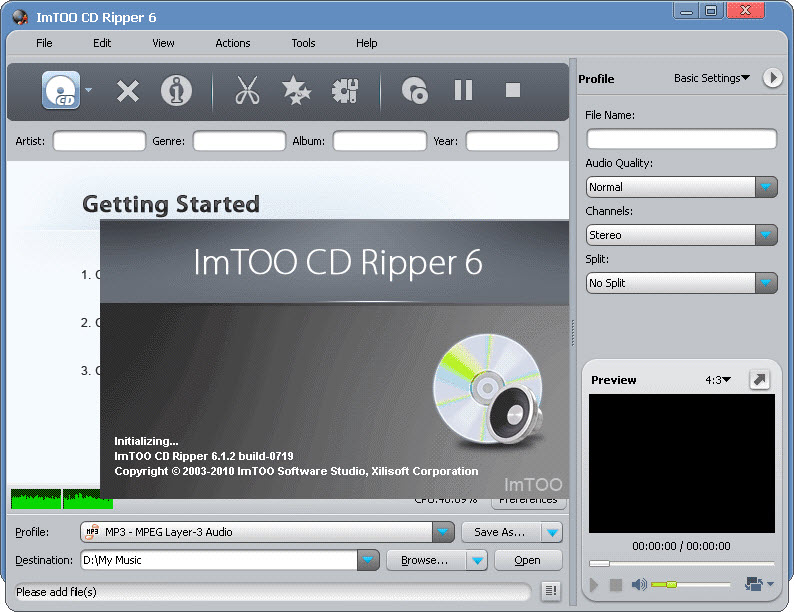
 An excellent CD to MP3 converter which help users to rip CD and convert CD
to MP3, WAV, WMA, MP2, VQF, etc. The CD Ripper can convert CD to MP3, convert CD to OGG.
Also, ImTOO CD Ripper is not only a CD to MP3 converter or CD to MP3 ripper.
It can convert between various audio formats including MP3, WAV, AAV, OGG, APE
An excellent CD to MP3 converter which help users to rip CD and convert CD
to MP3, WAV, WMA, MP2, VQF, etc. The CD Ripper can convert CD to MP3, convert CD to OGG.
Also, ImTOO CD Ripper is not only a CD to MP3 converter or CD to MP3 ripper.
It can convert between various audio formats including MP3, WAV, AAV, OGG, APE
As an CD to MP3 converter, the main function of ImTOO CD Ripper is to
rip CD to MP3, WMA, WAV, OGG, VQF, etc. With the friendly interface, you
will convert CD to MP3 with a few minutes.
As an audio converter, ImTOO CD Ripper also can convert among all mainstream
audio formats such as MP2, MP3, WMA, WAV, OGG, VQF, APE, etc. In addition,
it supports conversion between MP2/MP3 and RIFF-WAV.
With various settings, the CD to MP3 converter is the right one for digital
music fans. It supports ID3 tag and retrieves track info from the remote CDDB.
| Software Information |
System Requirements |
| Version: | 6.1.2.0719 |
- Windows 8/7/XP/Vista
- 750MHz Intel or AMD, or above;
- At least 800 MB free hard disk space;
- One DVD-RW Drive or CD-ROM at least;
- Super VGA (800 x 600) dimension or more.
|
| File Size: | 26.7 MB |
| License: |
Free to try, $29.95 to buy |
| Screenshot: | View Screenshot |
| Rating : |  |
Key Functions:
- WAV to MP3 Converter - convert WAV to MP3
Besides ripping CD to MP3, ImTOO CD Ripper supports converting WAV to MP3 as well.
- CD to MP3 Converter - convert CD to MP3
ImTOO CD Ripper is a CD to MP3 converter which can rip music from CD at high speed and convert CD to MP3 file.
- CD to WAV Ripper - rip CD to WAV
To obtain the best sound music quality, you can use ImTOO CD Ripper to rip and convert CD to WAV file.
- AAC to MP3 Converter - convert AAC to MP3
You can use ImTOO CD Ripper to convert AAC files to MP3 and play them in most MP3 or DVD players.
- OGG to MP3 Converter - convert OGG to MP3
You can use ImTOO CD Ripper to rip CD to OGG format or convert your OGG files to MP3.
- CD Ripper - rip CD to APE
To obtain the best sound quality and smaller size, you can use ImTOO CD Ripper to rip
and convert CD to APE format file. APE is standout lossless sound compression scheme.
Key Features of ImTOO CD Ripper :
- Batch conversion and multithreading are supported.
- Easy to use as all parameters and settings are displayed in the interface and easy to handle.
- All ID3 tags in the original files will be reserved after the conversion.
- Encoders/decoders are built-in for you to finish the conversion directly.
- Sound normalization is provided and you can control the output volume.
- You are able to edit the output path at will or choose to use the same one as the input path.
- Support customization settings like bit rate.
- Excellent output quality is provided by the CD to MP3 converter.
RELATED SOFTWARE DOWNLOADS FOR IMTOO CD RIPPER
- Advanced CD Ripper Pro
is a powerful software for ripping audio CD tracks to files of audio formats MP3, WAV, WMA, and OGG Vorbis on-the-fly. It
- Amazing CD Ripper
is a powerful and easy-to-use software for ripping audio CD tracks and save them into audio formats MP3 ,WAV ,WMA, APE (Monkey's Audio), or OGG Vorbis.
- Audiolib CD Ripper
is a easy to use tool which can Extract audio cd track to files of mp3, wave or ogg format without creating any temporary files.
- Buzzsaw CD Ripper
is an industry-leading, full-featured, easy to use Windows CD ripper.
- Saga CD Ripper
The ulis exactly what you are looking for. Saga CD Ripper digitally copies audio CD tracks to MP3, WMA, WAV and OGG files with excellent quality and fast speed
- Super CD Ripper
is an easy and powerful CD Ripper (also called Audio Grabber) software to the rip audio tracks to hard disk.
- Topee CD Ripper
is an powerful and easy cd ripper application for converting digital audio tracks directly from compact discs to audio formats
- Xilisoft CD Ripper
is versatile CD ripping software and audio conversion tool
- Zortam CD Ripper
is an MP3 application for Converts Audio CD to Mp3 or Wav files
|
|





 BestShareware.net. All rights reserved.