|
Filehunter
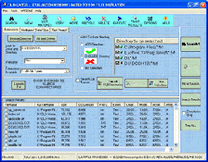 Filehunter is a search file utility for WIN 98, ME AND XP.
The program finds misplaced files on multiple drives and multiple directories.
It can locate search strings, display search results, view files and perform file operations.
Zip files can be searched. Filehunter search parameters are disk/ directory, extensions, dates,
file size, attributes and text. Up to 90 Multiple search strings are searched at once.
Filehunter is a search file utility for WIN 98, ME AND XP.
The program finds misplaced files on multiple drives and multiple directories.
It can locate search strings, display search results, view files and perform file operations.
Zip files can be searched. Filehunter search parameters are disk/ directory, extensions, dates,
file size, attributes and text. Up to 90 Multiple search strings are searched at once.
| Software Information |
System Requirements |
| Version: | 3.5.8 |
- Windows 8/7/XP/Vista
- Pentium or similar processor
- 64MB RAM
|
| File Size: | 4.63 MB |
| License: | Free to try, $38.00 to buy |
| Screenshot: | View Screenshot |
| Rating: |  |
Key Features of Filehunter :
- Search and locate searchstrings.
- Display search results.
- View files.
- Search zip files and perform file operations.
- Load search results.
- Search within search results.
- Add extra directories to previously saved search results.
- Perform fast searches.
- Search zip files.
- Find files before certain dates, after specific dates, within specified date ranges,
outsides date ranges or within days either side of a date.
- Search all storage devices attached to your system, including floppy drives,
hard drives, CD\DVD Rom drives, and network drives.
- File results can be sorted by file name, file folder, size , file type, dates, number of occurrences a search
string appears in a file and file attributes in ascending and descending order.
- Display file properties by right clicking file results.
- Find directories.
- Search multiple directories and drives.
- Display file extensions registered on your computer.
- Use user defined extensions.
- Save and load search parameters.
- Ise modified, created and last accessed dates.
- Match file sizes and attributes.
- Use case sensitive search strings.
- View the number of occurrences of a search string in a file.
- View search strings in multiple files.
- Search results can be printed or saved to a file for analysis.
- Perform file operations on search results,- eg copy, move, recycle, delete and open.
- Use multi string extensions or filenames in a continuous list.
- Boolean AND + Or can be used with text in search strings.
- Exclude file extensions.
- Search Windows special Folders.
- Explore zip archives.
- Copy or move search result folders with existing paths to new locations.
- Use regular expressions.
- Rename filenames.
- Up to 90 Multiple search strings searched at once.
- Search inside Excel spreadsheets and Microsoft Word documents.
- Display files Not Containing Search Strings.
- Print search results by columns.
- Copy and Print Excel workbook and worksheet search results to files.
RELATED SOFTWARE DOWNLOADS FOR ALPHAZIP
- Fast System Washer
Fast System Washer is a useful and easy to use program for fast cleaning up the history of your activities on a computer
- File Security Manager
powerful application, used to manage file and folder permissions Access control in Windows XP Home Edition
- File Search Assistant
a file search utility designed to make document searching fast, easy and efficient
- Find Protected
Windows utility designed to search for password protected files on local disks and across a network
- Cool Find
It is a file search and management utility for Windows.
- File Splitter Deluxe
File Splitter Deluxe splits and rejoins any file of any size
- Easy File Splitter
It is a piece of beautiful software for splitting large file to smaller files.
- Super Fast File Splitter
is a powerful and super fast file splitting utility
- HoudahSpot 2: Leopard Edition
It enables users to quickly create and store powerful search queries.
- Hide Secret Files
a security product based on an unequalled data hiding method
- File Cutter
It is a little too big? Have no fear, file cutter is here!
|
|





 BestShareware.net. All rights reserved.