|
Excel Compare
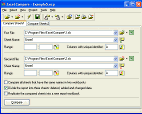 Excel Compare is a compare tool allows you to compare Excel files and Excel sheets.
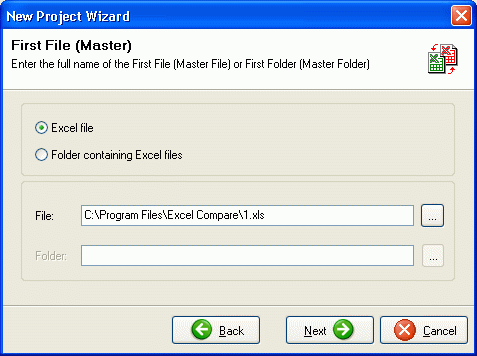
Excel Compare allows you to compare Excel files, Excel spreadsheets and selected ranges of sheets.
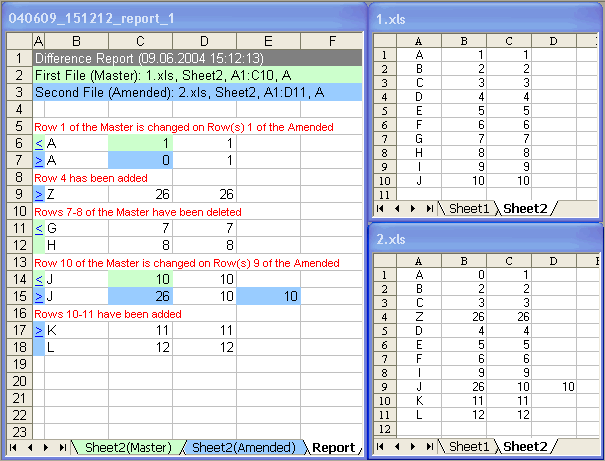
Excel Compare compares data straight from your worksheets, and presents the results on a new Excel
sheet as a publication-quality report (Difference Report), that is ready to print or save. The report
displays the added, deleted and changed data. Use this tool for analyzing the changes made.
| Software Information |
System Requirements |
| Version: | 2.3 |
- Windows 8/7/XP/Vista
- Pentium or similar processor
- 512 MB RAM
|
| File Size: | 3.4 MB |
| License: | Free to try, $34.95 for Personal |
| Screenshot: | View Screenshot |
| Rating: |  |
Excel Compare Features:
- Comparison:
- Supports all versions of Microsoft Excel.
- Allows for comparing of sheets, that contain a database structure.
- The advanced comparison algorithm for the data not containing unique identifiers.
- Allows for comparing of any selected ranges of a sheet.
- Allows for comparing all files located in two different directories.
- Allows for the comparison of all sheets with the same names in two workbooks.
- Output report:
- Creates Difference Report as a new Excel sheet.
- Difference Report keeps the format of the compared data.
- Highlighting the cells that have changed.
- Allows for divising of the report into three parts: deleted, added and changed data.
- Other:
- Allows the automatic addition of user-defined macros to the report workbook.
- Supports Project settings.
- Supports Command Line Options.
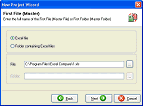
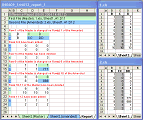
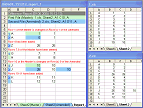
| More Screenshots - Click each image to enlarge! |
|
|
|
RELATED SOFTWARE DOWNLOADS FOR EXCEL COMPARE
- 4TOPS Compare Excel Files
hat clearly reports where and what the differences between two Excel workbooks are
- ExamDiff Pro
It is a powerful yet intuitive and easy to use visual file and directory comparison tool for Windows.
- Oracle-to-Excel
program to publish Oracle database as Microsoft Excel spreadsheet
- ExcelSmartTools Auditor
It was developed to help Microsoft Excel users audit and check spreadsheets models.
- Excel-to-MSSQL
It is a program to convert MS Excel spreadsheets into MS SQL databases.
- Model Builder for Excel
will allow you Build, Audit and Manage small or big spreadsheets models easier and faster.
- Spreadsheet Auditor for Excel
With Spreadsheet Auditor for Excel you will be able to audit any Excel model in a snap.
- NativeExcel for .NET
allows to create, read and modify Excel spreadsheets on the fly from any .NET application.
- SQLBalance for MySQL
allows to compare and synchronize the structure of different databases, controlled by MySQL server
- Visual Comparer
is a software utility with its main functionality being comparison of source code containing text files.
|
|






 BestShareware.net. All rights reserved.