|
Super Screen Capture
You can capture screenshots of any part of your desktop screen
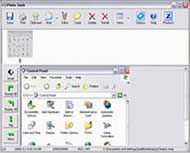 Super Screen Capture is an all-in-one software for free screen Capture software.
You can capture screen in many ways, including full screen capture, region capture, window capture,
scroll capture, directx capture, video screen capture, audio capture and etc.
You can choose many kinds of output ways, including clipboard, printer, email, editor tool, temp folder,
and all popular formats. Super Screen Capture has an easy-to-use and intuitive interface.
Whatever you can see on your screen, Super Screen Capture will easily and fastest screen recording for
your immediate use. It will especially suit making demos, tutorials, and training videos.
Super Screen Capture is an all-in-one software for free screen Capture software.
You can capture screen in many ways, including full screen capture, region capture, window capture,
scroll capture, directx capture, video screen capture, audio capture and etc.
You can choose many kinds of output ways, including clipboard, printer, email, editor tool, temp folder,
and all popular formats. Super Screen Capture has an easy-to-use and intuitive interface.
Whatever you can see on your screen, Super Screen Capture will easily and fastest screen recording for
your immediate use. It will especially suit making demos, tutorials, and training videos.
| Software Information |
System Requirements |
| Version: | 4.0 |
- Windows 8/7/XP/Vista
- Pentium 3/4 or AMD Athlon - 400 Mhz or more
- 512 MB RAM
- True Color Video Card - 1024x768, 32Bit
|
| File Size: | 1.63 MB |
| License: | Free to try, $69.95 to buy |
| Screenshot: | View Screenshot |
| Rating: |  |
Main Features of Super Screen Capture:
- More Than 10 Ways to Capture
Support full screen capture, sharp capture, windows capture, directx capture, video screen capture, sound record and etc.
- Easy-to-Use and Intuitive Interface.
You can arrange, resize and custom any intuitive interface.
- Powerful Image Editing Tools.
Super Screen Capture has an advanced image editing utility.
- More Than 8 Ways to Output.
You can save image to file, clipboard, printer, email, editor, temp folder, image Editing tool.
- Setup Custom Hotkeys for Any Way.
You can assign hotkeys to the different functions.
- Support all popular Internet formats.
Such as: BMP, JPG, GIF, PNG and etc.
- Unique Screen Capture Software
Different from other screen capture software, easily and quickly.
RELATED SOFTWARE DOWNLOADS FOR SUPER SCREEN CAPTURE
- Hero Screen Recorder
screen capture and video capture software that can record full or any area of computer screen
- 1st Screen Recorder & Video Capture
is a tool used for recording Screen Activity and Sound into standard AVI Video files.
- ACA Screen Recorder
captures the action from your Windows screen and saves it as a standard, easily edited, AVI (Audio-Video Interleaved) movie file.
- Screen Recorder Gold
is a easy-to-use, fast, and powerful screen video recording software
- Fox Screen Capture
screenshot capturing tool from foxshareware development team
- Easy Screen Capture
It is a screen capture software for capturing any part of your screen.
- Ace Screen Capture
is a 32 bit Windows program designed to make screen capture easier with shapes through extensible and flexible framework.
- Any Screen Capture
allows you to print screen pictures at will and select grab area in rectangle, ellipse, window, control, menu and custom shapes etc.
- Super Screen Recorder
is a powerfull video screen capture software for recording video screen activities into standard avi video files
- liteCam
is a screen recorder which allows you to capture videos from your screen into a compact AVI file.
|
|





 BestShareware.net. All rights reserved.