|
Startup Master
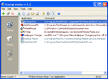 Startup Master is a powerful and easy-to-use startup manager.
Startup Master can help you to add, edit or delete items of Windows startup.
Startup Master is a powerful and easy-to-use startup manager.
Startup Master can help you to add, edit or delete items of Windows startup.
Startup Master allows to lock startup or automatically delete specified files from startup.
importing startup items from the backup files; printing startup list; sound notification.
exporting startup items to TXT, HTML, REG or BAK file.
| Software Information |
System Requirements |
| Version: | 1.4 |
- Windows 98/ME/2000/XP/2003/Vista
- Pentium
- 16 MB RAM
- HDD 3MB
|
| File Size: | 753 KB |
| License: | Free to try, $19.95 to buy |
| Screenshot: | View Screenshot |
| Rating : |  |
Main Features of Startup Master :
- opportunity of adding, editing or deleting of items in most sections of Windows startup.
- adding startup items with Drag'n'Drop.
- automatic filtration of new items.
- notifications about startup changes.
- opportunity of recovering deleted startup items.
- exporting startup items to TXT, HTML, REG or backup file.
- importing startup items from the backup files.
- printing startup list.
- sound notification.
Startup Master works with such startup sections as:
- Current user "Start" menu.
- All users "Start" menu.
- HKEY_LOCAL_MACHINE\Software\Microsoft\Windows\CurrentVersion\Run.
- HKEY_LOCAL_MACHINE\Software\Microsoft\Windows\CurrentVersion\RunOnce.
- HKEY_LOCAL_MACHINE\Software\Microsoft\Windows\CurrentVersion\RunOnceEx.
- HKEY_LOCAL_MACHINE\Software\Microsoft\Windows\CurrentVersion\RunServices.
- HKEY_LOCAL_MACHINE\Software\Microsoft\Windows\CurrentVersion\RunServicesOnce.
- HKEY_CURRENT_USER\Software\Microsoft\Windows\CurrentVersion\Run.
- HKEY_CURRENT_USER\Software\Microsoft\Windows\CurrentVersion\RunOnce.
RELATED SOFTWARE DOWNLOADS FOR STARTUP MASTER
- PC-Optimizer Pro
collection of over 30 system-maintenance and optimization utility to tune up windows performance
- RegFix Mantra
Eliminates all windows registry errors, hence optimizing your PC
- CoffeeCup PC TuneUp Pro
It is a collection of 12 system maintenance and optimization utilities to tune up your computers speed and stabilty.
- Absolute StartUp manager
helps you control, manage and optimize items in Windows startup.
- ActiveStartup
is a program for Windows95/98/Me/NT/XP which allows you to manage programs which load from Registry, Win.ini and Startup Menu at Windows Startup.
- ActiveStartup Deluxe
is created for advanced control over Windows startup.
- Advanced StartUp Manager
is program that allows you to control what programs run at system startup when you turn on or logon to your computer.
- Auto Power-on & Shut-down
an easy to use application that will allows you to control your computer resume from power-off state and wake your computer from sleep mode.
- Auto Startup Detective
is a startup manager - tool which helps you to manage efficiently what programs run at Windows startup.
- EF StartUp Manager
allows you a simple handling and complete control of applications which starts with Windows.
- Ultimate Startup Manager
total control over your Windows startup. More memory, more power and better stability
|
|





 BestShareware.net. All rights reserved.