|
e!Sankey - Sankey diagram software
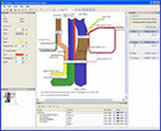 Finally a software for easily creating Sankey diagrams! e!Sankey lets you setup
Sankey diagrams and flow charts in no time. Draw appealing process diagrams
and display material, energy or cost flows in any process system.
Finally a software for easily creating Sankey diagrams! e!Sankey lets you setup
Sankey diagrams and flow charts in no time. Draw appealing process diagrams
and display material, energy or cost flows in any process system.
Sankey diagrams, where the arrow width is proportional to the flow quantity,
are common in energy or chemical industry. They are a great way to convey your
message in presentations or reports.
e!Sankey is very comfortable to use. It has numerous options to make nice looking flow graphs.
Add labels and additional graphical elements, adapt the flow colors. Scaling of the flows
is also possible. Lean, easy-to-use, and at a really competitive price of below $100
- that's e!Sankey.
| Software Information |
System Requirements |
| Version: | 2.0.3 |
- Windows 98,ME,2000,XP, Vista Starter
- Pentium II CPU
- 64 MB RAM
- Microsoft .NET 2.0 Framework
|
| File Size: | 3.70 MB |
| License: | Free to try, $99.00 to buy |
| Screenshot: | View Screenshot |
| Rating : |  |
e!Sankey lets you set up Sankey diagrams easily. Numerous features allow you to adapt your
Sankey flow charts to your individual needs.
Here is a non-exhaustive list of features of the software:
General
- floating/dockable/hideable/tabbed windows
- print Sankey diagram
- export Sankey diagram (BMP, JPG, GIF, PNG, EMF formats)
- copy to clipboard
- Overview - zoomed out overview, move visible area properties
Editor
- process (node, transition), arrow
- graphical elements: rectangle, rounded rectangle, ellipse, ...
- cut / copy / paste diagram structures
- add text labels
- insert images
- editor options: grid, snap to grid, ...
- zoom
- undo
Processes
- drag and resize process symbol, hide process
- process labels
- use images or cliparts for process symbol
Arrow
- draw arrow by clicking on process and directly connecting to other process
- add one or more entries to arrow as flows, enter quantity, choose color
- scaling of flows per unit type using slider
- stacked arrows, change stacking order
- arrow options: rounded, orthogonal bends, draw perimeter, ...
- arrow label with flow name and quantity
Colors
- select individual color pallets for each unit type
- create your own color pallet
Units and Scaling
- Unit Types. mass, energy, area, currency, dimensionless, indicator, area, length, length time, noise, power, radioactivity, time, transport, volume, volume time, person distance
- scale each unit type individually using slider in controller
RELATED SOFTWARE DOWNLOADS FOR E!SANKEY - SANKEY DIAGRAM SOFTWARE
- Flow Diagrams Software
Flow Diagrams Software creates flow diagrams, organizational charts, program flowcharts and other business and technical diagrams rapidly
- FlowChartX control
Create and present workflow, flowchart and process diagrams, charts, graphs and trees.
- Diagram Studio 4.x
is a powerful drawing and diagramming program for creating professional-looking business, technical drawings and illustrations for your documents quickly and easily.
- EDraw Max
is a vector-based diagramming software with rich examples and templates.
- Flowchart Design Software - creates flowchart
It is a new, rapid and powerful flowchart design software.
- C/Delphi/Basic Code 2 Flowchart
C/Delphi/Basic Code 2 Flowchart - Create flowcharts out of program source code.
- AutoFlowchart
is a excellent source code flowcharting tool to generate flowchart from source code. It supports C,C++,VC++(Visual C++ .NET),Delphi(Object Pascal).
- Code Visual to Flowchart
is a source code flowcharting tool to help programmers understand and document source code.
- EDraw Network Diagrammer
is a professional network diagramming software with rich examples and templates.
- Antechinus Draw Magic
is a flowcharting, diagramming and drawing program that comes with a vast set of extensible clipart libraries.
- Edraw UML Diagram
is a new UML diagram and software diagram drawing tool for software engineers and designers.
|
|





 BestShareware.net. All rights reserved.