|
Academic Flashcards
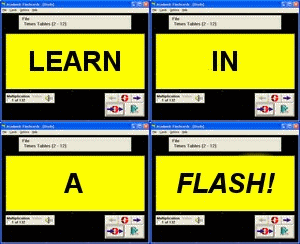 Academic Flashcards is a great study software program and teaching resource that helps you improve test scores,
memorize terms and definitions, and memorize questions and answers. It's a simple, easy, and free program
that replaces paper flashcards and all the work that goes into creating them. Study computers, languages,
sciences, math, history, sports,
trades & occupations, among a host of other ready-made flashcard sets, or create and edit your own.
Incorporate images and add speech, Use AFC and learn in a flash!
Academic Flashcards is a great study software program and teaching resource that helps you improve test scores,
memorize terms and definitions, and memorize questions and answers. It's a simple, easy, and free program
that replaces paper flashcards and all the work that goes into creating them. Study computers, languages,
sciences, math, history, sports,
trades & occupations, among a host of other ready-made flashcard sets, or create and edit your own.
Incorporate images and add speech, Use AFC and learn in a flash!
| Software Information |
System Requirements |
| Version: | 4.0 |
- Windows 98/ME/NT/2000/XP/Vista
- Pentium-based IBM PC compatible
- Color monitor with VGA, VB 6 runtimes
- 64 MB RAM
|
| File Size: | 4.13 MB |
| License: | Free to try, $29.95 to buy |
| Screenshot: | View Screenshot |
| Rating : |  |
Using Academic Flashcards:
You can insert the terms on one side and definitions on the other or insert the questions on one side
and the answers on the other. In fact, you can enter any information that you wish to commit
to memory and learn with ease.
Create unlimited flashcards on any subject or download and use one of our many free ready-made flashcard sets.
- Study by manually clicking through the cards or by using an automatic timer that you set.
- Study the cards in random or alphabetical order.
- Review specific cards at a later time.
- Test your knowledge and keep track of your scores.
The Flashcard Sets can be edited on the Edit screen:
- Edit sets by removing or adding individual Flashcards.
- Create new Flashcards by manually typing in terms and definitions
or questions and answers. Entire lists of terms and definitions can be cut and pasted from a text file
by using the Import Option in the program.
- Edit the Flashcards to look the way you want by changing their fonts or colors.
- Make your cards speak using the text-to-speech option.
- Add pictures to your flashcards with the Image option.
- Flip through the Flashcards manually or automatically. In automatic mode,
set the the desired speed between viewing cards. The program also allows for self-testing and keeps your
test scores automatically.
RELATED SOFTWARE DOWNLOADS FOR ACADEMIC FLASHCARDS
- PocketStackz
allows to work on the Stackz wordlists anywhere, anytime.
- MemorizeIt
is a multimedia flashcard application that allows you to create your own decks of flashcards incorporating text, sound, pictures, and drawings.
- Harmony Assistant - music composition and editing
powerful music composition and editing
- STFMath
is a multipurpose math utility, suitable not only for students, but also for engineers, professors, or anyone interested in math.
- GrindEQ MathType-to-Equation
converts MathType objects to Microsoft Equation 2007 or Microsoft Equation 3.x format
- Rapid-Pi
is MS Word add-on that provides a faster way of editing mathematical equations
- Ultimate Sports Book Manager
allows a bookie and player to track wagers, download betting lines, and get final scores in real-time to access on-line sportsbook.
- MagicScore Maestro 5
is a very convenient music notation software for musicians to create musical scores.
|
|





 BestShareware.net. All rights reserved.