|
Backupper Professional
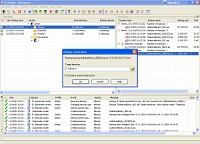 Backupper Professional is designed for automatic backup of any files, folders and databases.
Backupper Professional provides excellent efficiency in small networks, office and home computers.
Backupper Professional is designed for automatic backup of any files, folders and databases.
Backupper Professional provides excellent efficiency in small networks, office and home computers.
While using common .zip format for backups Backupper Professional has evident advantages over general-purpose archivers.
The latter work best with single archives while Backupper Professional makes regular backups of your data.
Backupper Professional is a solution which guarantees recovery of up-state data, automatically created new backups,
manages and deletes out-of–date backups, tracks the changes in data under backup.
Backupper Professional will free you from performing these chores manually.
| Software Information |
System Requirements |
| Version: | 5.1 |
- Windows 8/7/XP/Vista
- Pentium II CPU
- 512 MB RAM
|
| File Size: | 1.81 MB |
| License: | Free to try, $98.95 to buy |
| Rating: |  |
Key Features of Backupper Professional :
- Automatic scheduled backup allows you to detect updated files and create new backups.
- Backup history allows you to set the number of stored backups.
- You can restore not only the last saved file copy but any backup from the backup history.
- You can convert some backups to stationary to exclude them from deleting when they are out-of-date, regardless of other settings.
- Background operation does not interfere with other programs. Operation does not require assistance of the user.
Backupper Standard does its part while you do yours or take a rest.
- Backupper Standard works with any data formats. You can set Backupper Standard to backup any files of any type.
- Flexible tuning of the main window. You can tune Backupper Standard for your convenience and screen resolution.
- You can set or change backup parameters “on the fly” — without stopping automatic backup.
Applied changes can not hinder already running tasks from successful completion.
- Simultaneous backup of several data sets saves backup time.
True multitasking provides correct operation with several sections according to the schedule.
- Remote control. This feature will be particularly useful in large networks.
You can set up backup parameters and work with backups on the server from a workstation.
Password protected connection with server secures valuable data storage and enables flexible and easy access.
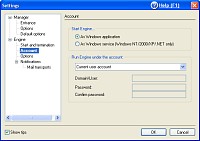
- Operation as a system service. Logon is not required to launch the program.
Data protection is guaranteed regardless of the frequency of user or administrator server logons.
- Report adjustment. Sending notifications by e-mail.
- Tracking application events in the Windows system event log.
RELATED SOFTWARE DOWNLOADS FOR BACKUPPER PROFESSIONAL
- CopyPod
It is the ultimate iPod Backup Software and iPod recovery Software, backup & recovery for your iPod.
- Backup4Sure Lite
is an easy to use, powerful backup program that makes your backups quick and reliable.
- BackupMate
is a backup and recovery tool that lets you easily backup your files, folders and documents.
- Automatically Backup My Documents
automatically Backup My Documents is a unique backup solution that can help you with your data archiving needs.
- Backup Platinum
is an easy-to-use yet powerful backup program to make a reserve copy of your critical data virtually to any type of storage media: hard or USB drives, CD-R/W or DVD/RW media, FTP server or Lan.
- Backup Plus
is a great tool for backing up all of your important data as well as restoring it.
- Backup2005 Pro
can backup any folder to any destination (network lan, any removable media including CD and DVD).
- Compare Advance
is a very easy to use folder compare, synchronize and backup utility.
- DmailerSync Plus
is an advanced file and Outlook/Outlook Express data synchronization software for mobile devices.
- Paragon Drive Copy Professional
is a cutting-edge solution to deploy new hard drive, migrate data and applications online, create bootable backup copy of a hard drive or its partitions.
- IncrediMail Backup
is a powerful backup tool which can backup all emails, IncrediMail settings into an archive file.
|
|





 BestShareware.net. All rights reserved.