|
Flash to 3GP Converter - Convert Flash to 3GP
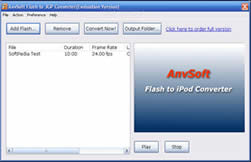 ANVSOFT Flash to 3GP Converter is a powerful tool that convert Macromedia Flash SWF files to 3GP/MP4 format files
including movie clips, action scripts and audio in the Flash movies. With ANVSOFT Flash to 3GP Converter, you can
easily turn your Flash videos into memorable projects on handheld devices such as Apple iPod,
PSP and Pocket PCs to share with family and friends.
ANVSOFT Flash to 3GP Converter is a powerful tool that convert Macromedia Flash SWF files to 3GP/MP4 format files
including movie clips, action scripts and audio in the Flash movies. With ANVSOFT Flash to 3GP Converter, you can
easily turn your Flash videos into memorable projects on handheld devices such as Apple iPod,
PSP and Pocket PCs to share with family and friends.
You must have your favorite Flash files you want to watch any time you want, but you may get tired that you have to
watch them only on your pc. Flash to 3GP Converter is the easiest and quickest way to turn your SWF Flash files
into high quality 3GP/MP4 format playable on any mobile devices.
It's so easy that anyone can use it - No need to learn to work with complicated software, Flash to 3GP Converter
works in just a few quick steps and takes only minutes, even seconds! Flash to 3GP Converter is very easy to use
even to beginners. Converting your Flash files to iPod playble MPEG4 files is just a breeze! This really comes
in handy and saves a lot of time, when you want to create something truly unique from SWF Flash resources.
ANVSOFT Flash to 3GP Converter is absolutely a Flash converter to convert swf to 3GP or mp4, swf to avi,
flash to mpeg, and view them on your 3GP ready mobile phones. It's a SWF converter to convert Flash SWF file format
to 3GP/MP4 format. If you want to download amazing SWF files and play them on 3GP ready mobile devices,
ANVSOFT Flash to 3GP Converter is really what you need!
| Software Information |
System Requirements |
| Version: | 2.12 |
- Windows XP SP2
- Personal or multimedia computer with a 1.5 gigahertz (GHz) or higher processor
- 256 megabytes (MB) or higher of RAM
- 2.0 GB of available hard-disk space or higher
|
| File Size: | 3.26 MB |
| License: | Free to try, $19.95 to buy |
| Screenshot: | View Screenshot |
| Rating : |  |
AnvSoft Flash to 3GP Converter Features:
- Cool! - Convert Flash SWF files into high quality 3GP/MP4 format.
- Easy! - Show Flash files on your Mobile Phone has never been simpler!
- Amazing! - Share your creative wroks with friends on Mobile Phone.
FAQs for Flash to 3GP Converter
Some FAQs for 3GP MP4 and ANVSOFT Flash to 3GP Converter
What is 3GPP, 3G2 and MPEG-4 file format?
3GPP : GSM Network, Video: MPEG-4, H.263, Audio: AAC, AMR
3G2 : CDMA Network, Video: MPEG-4, h.263, Audio: AAC, AMR, QCELP
MPEG-4 : allows you to optimize every part of the movie, while maintaining compatibility. MPEG-4 contains a wide variety of compression technologies to deliver the best performance for every kind of content.
How to get best quality on cellular phone with 3GP MPEG-4 format?
You can enter your screen size directly to getting best quality for your cellular phone. For example, you want a 220x176 video to play on your Motorola V3 Raza, you should change the default "video codec" (h.263) to "mpeg4", then set the resolution to 220x176, you get the movie with current resolution which you want. ANVSOFT Flash to 3GP Converter now support output file format 3GPP, 3G2 and MPEG-
The following chart lists recommend settings about "Bit rate, Frame rate" for some cellular phones.
| Cellular Phone Model |
Video Output |
Audio Output |
| Sony Ericsson W800i |
Bit rate: 500kbps
Format: h263
Size: 176x220 pixel
Frame rate: 25.00fps |
Format: amr_nb
Sample rate: 8000Hz
Channels: Mono |
| Sony Ericsson K750i |
Bit rate: 104kbps
Format: mpeg4
Size: 176x144 pixel
Frame rate: 25.00fps |
Format: mpeg4aac
Sample rate: 22050Hz
Channels: Mono |
| Nokia 6230 |
Bit rate: 118kbps
Format: mpeg4
Size: 128x96
Frame rate: 25.00fps |
Format: amr_nb
Sample rate: 8000Hz
Channels: Mono |
| Nokia 6620 |
Bit rate: 79kbps
Format: h263
Size: 176x144
Frame rate: 25.00fps |
Format: amr_nb
Sample rate: 8000Hz
Channels: Mono |
| Nokia 6630 |
Bit rate: 138kbps
Format: h263
Size: 176x144
Frame rate: 25.00fps |
Format: amr_nb
Sample rate: 8000Hz
Channels: Mono |
| Motorola V710 |
Bit rate: 78kbps
Format: h263
Size: 176x144
Frame rate: 25.00fps |
Format: amr_nb
Sample rate: 8000Hz
Channels: Mono |
| Motorola V635 |
Bit rate: 216kbps
Format: h263
Size: 176x144 |
Format: amr_nb
Sample rate: 8000Hz
Channels: Mono |
| Motorola V547 |
Bit rate: 122kbp s
Format: h263
Size: 176x144
Frame rate: 25.00fps |
Format: amr_nb
Sample rate: 8000Hz
Channels: Mono |
| Samsung D. 500 |
Bit rate: 73kbps
Format: h263
Size: 176x144
Frame rate: 25.00fps |
Format: amr_nb
Sample rate: 8000Hz
Channels: Mono |
| Sanyo 5600 |
Bit rate: 96kbps
Format: h263
Size: 176x144
Frame rate: 25.00fps ; |
Format: amr_nb
Sample rate: 8000Hz
Channels: Mono |
RELATED SOFTWARE DOWNLOADS FOR FLASH TO 3GP CONVERTER - CONVERT FLASH TO 3GP
- Mac SWF to FLA Converter - Convert SWF to FLA
SWF to FLA Converter for Mac OS converts Macromedia Flash SWF files back into FLA format in one click, convert swf to fla, flash swf to fla for macintosh
- ADShareit SWF to Video Converter
supports converting Macromedia Flash SWF to AVI, SWF to DVD, SWF to VCD / SVCD, SWF to MPEG files including movie clips, action scripts and audio in the Flash movies.
- QTVR2Flash - Convert Quicktime VR to Flash
It is a tool designed to convert Quicktime VR panoramas, objectmovies and image series to Flash movies.
- ImTOO DVD to 3GP Converter
DVD to 3GP conversion software which can rip and convert DVD to 3GP, dvd to 3gpp2 video format for mobile phone
- Plato Video To 3GP Converter
Video to 3GP converter software, Convert various video file formats to 3GP video files for celluar phone
- ANVSOFT Video to 3GP Converter
transform raw videos into professional-looking movies and convert them to 3GP MP4 format files playable on cellular phone.
- WinXMedia AVI WMV 3GP 3G2 Converter
is a powerful and easy-to-use 3GP and 3G2 video converter
- VeryDOC PowerPoint to Flash Converter
is a powerful application that convert PowerPoint to flash presentations, it is easy to use and provides accurate, small sized, file conversions
- Movavi Flash Converter-Personal edition
allowing to download and save video in the Flash (.flv) format from YouTube and other video sharing websites
- WinMPG Video Converter
is a complete solution for video file conversion
|
|





 BestShareware.net. All rights reserved.